
Click on a tool from the palette to view a short demo video.
Note: The image is an illustration and does not perform like the real tool palette.
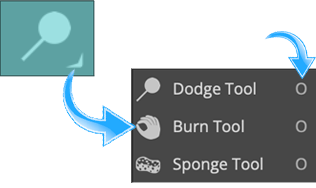
A short description of the tool's function will appear here. Most tools have multiple functions accessible by a submenu. Clicking on the small arrow in the lower right corner of a tool opens the submenu. Many tools have a one letter keyboard shortcut. Holding the SHIFT key down while typing the relevant letter will toggle the tool between its different options. |
 |